
Last Updated on March 1, 2026
📖 Part of the Secure AI Writing Workflows for Teams: A Complete Guide
This post is a deep-dive cluster page focusing on various use cases enabled by LocPilot in Word. Visit the pillar page to master the basic functions, explore advanced editing and content refinement, and dive into power user experiments—all designed to keep your writing process efficient and secure on intranet.
This morning, I discovered that Anthropic has introduced a new feature for writing in personal styles. To learn more about this feature, I visited their announcement page and found that Claude can generate custom styles for you. This feature allows users to upload sample content that showcases their unique communication style, providing a personalized foundation for the generated text. This enables Claude to tailor its output to meet individual needs, ensuring that the final result reflects the user’s preferences. Furthermore, users can specify specific instructions to refine their preferences as they evolve over time.
Intrigued by its potential, I decided to investigate whether the feature could be replicated in Microsoft Word using a specific combination of local tools: AnythingLLM, LM Studio, llama-3.2-3b-instruct model, and my local Word Add-in (LocPilot in Word). The outcome of my experiment is as follows.
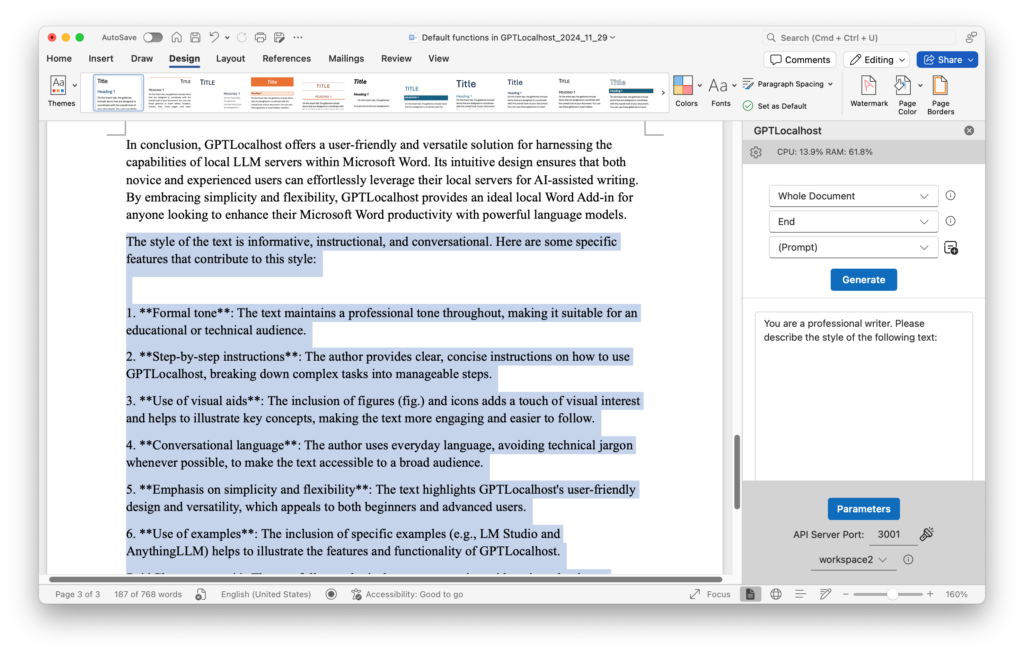
(1) Generate custom styles. Anthropic’s demo allows users to generate custom styles by uploading sample content. In my experiment, I used the Word document for my previous blog post as the test content. After opening the document, I selected Whole Document in LocPilot in Word as the input range and set End as the location for displaying generated text. The instruction I updated for the (Prompt) task is “You are a professional writer. Please describe the style of the following text:”. Upon clicking the Generate button, the resulting output revealed that the style of the previous blog post was: informative, instructional, and conversational – a reasonable reflection of my writing voice. This success sparked my curiosity, and I wondered if it would be possible to further personalize the text generation process using this custom style.
The following screenshots are powered by GPTLocalhost, which offers the same core features for individual use. LocPilot in Word is the intranet edition of GPTLocalhost designed for teams with air-gapped security. For a quick demo of LocPilot, please click here.
Personalize text generation. In this test, I copied the content of Anthropic’s announcement as a new Word document. Then I set the (Prompt) task as: You are a professional writer. Please rewrite the following text in “informative, instructional, and conversational” style. The following two screenshots show the result:
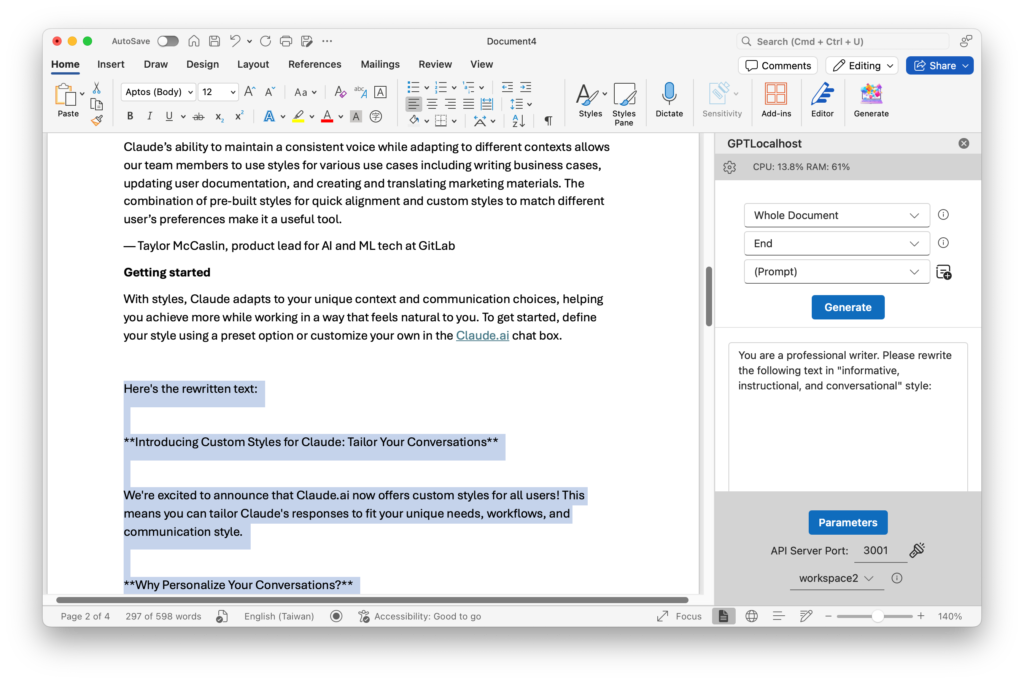
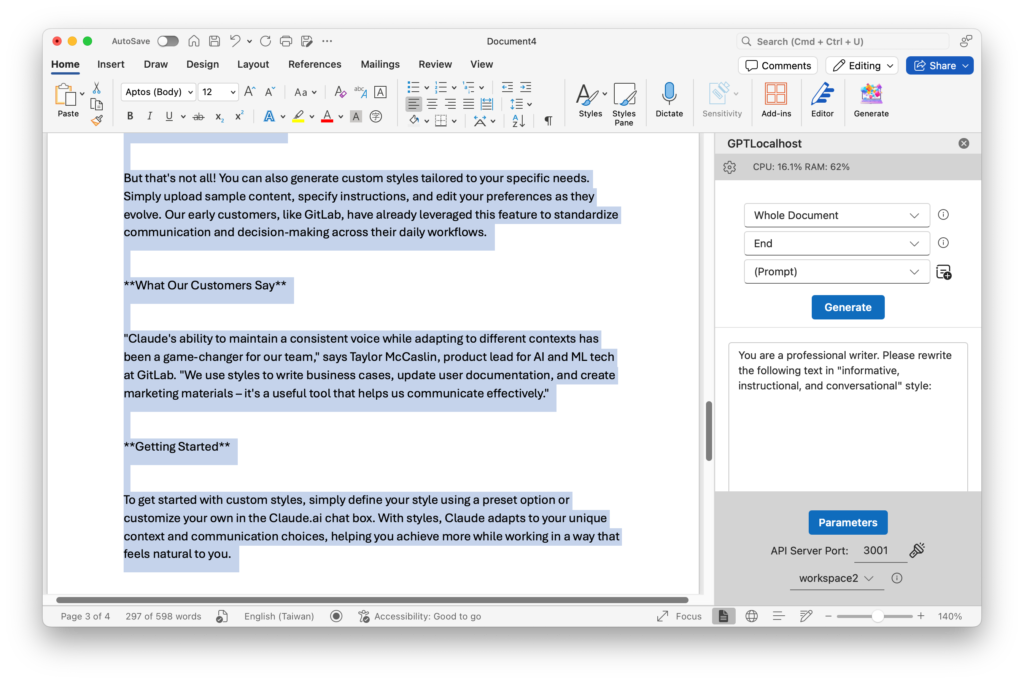
In conclusion, my experiment successfully mimicked Anthropic’s custom style feature within Microsoft Word using local tools. By leveraging the power of local models through my local Word Add-in, I was able to rewrite text to reflect my personal writing. This experiment demonstrates the potential for integrating cutting-edge language generation capabilities into everyday productivity and writing in Microsoft Word. As LLM progress continues, users can now take control of their writing style, tailoring the text output to suit their unique needs, making writing more efficient, effective, and enjoyable completely on their local computers.
For more creative uses of local and private LLMs in Microsoft Word, explore additional demos available on our channel at @LocPilot.
Empower Your Team with Secure, Professional AI
The future of professional writing isn’t just about better tools—it’s about providing your team with the intelligence of AI within an air-gapped environment. By bringing your AI workflows onto your local intranet, you give your team powerful LLMs to innovate, refine, and collaborate on their most sensitive projects with absolute confidence and peace of mind.
Ready to elevate your team’s productivity? Download LocPilot and experience how high-performance, local AI can transform your drafting process. Equip your office with a professional-grade environment where proprietary ideas are both enhanced and protected. You can start with our free tier today to explore the possibilities—no credit card required.